

Set Fire to the Rain
Personal project · Work in progress · Houdini and Octane

Set Fire to the Rain is a cinematic VFX shot that I’m creating in Houdini and rendering in Octane. The idea came to me, quite literally, during a karaoke night. I was thinking about the lyrics of Set Fire to the Rain by Adele. I was already spending a lot of time in Houdini, and I thought: what a beautiful natural phenomenon it would be to literally set raindrops on fire.
Burning rain
The image I had in mind: a dark rocky ravine, with rain falling from an opening above. Some of the drops catch fire and fall like small comets into a thick bank of smoke, lit from within by the fire. Cold blue light from above, warm fire from within.
The biggest challenge is that contrast. Fire is hot, bright and orange; rain is cold, thin and blue. They need to strengthen each other without turning into a fairground of colours. That’s why the flames have a fixed colour temperature of 2400 Kelvin: it keeps the cores hot and bright, so they cut through the cold rain.
A reference from Gemini
To get that image clear, I asked Gemini to create a reference image, a kind of mood board. That image sets the bar, and the bar is high: it’s my benchmark for composition, colour and atmosphere. The renders on this page are my own: I built them in Houdini and rendered them in Octane. My goal: a render that ends up looking even better than the reference.

Building it in Houdini
The rain and the drops are particles. Some of the drops catch fire, and the flames trailing behind them are volumes built with VEX. The smoke bank is a Pyro simulation, and the rock walls and ground are procedural.
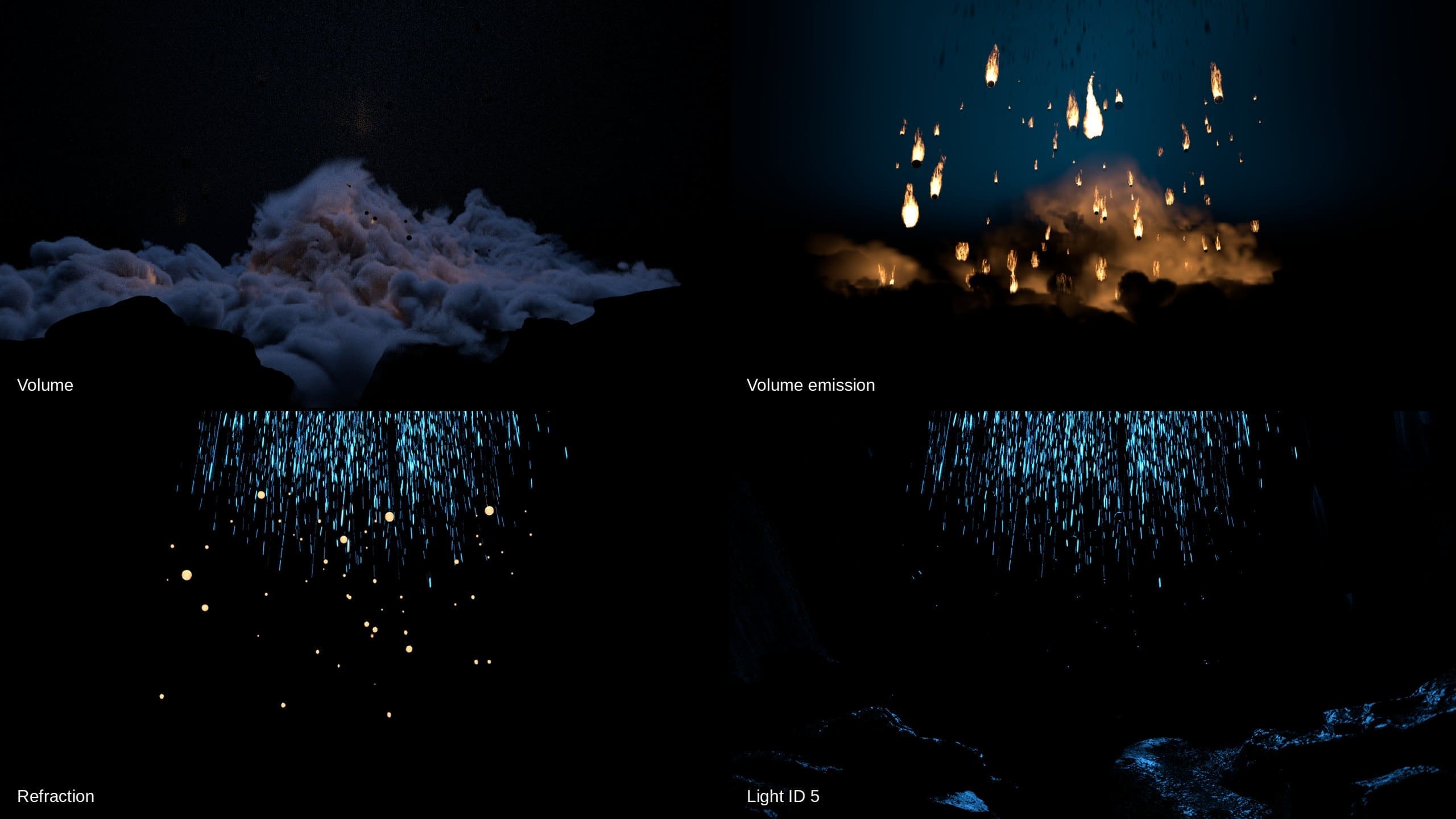
I render in Octane, with separate render passes for the smoke, the fire and the rain, among others. That way I can adjust each of them separately in compositing. Below is an overnight render of version 298, in 4K: six and a half hours of rendering.

Smoke that feels heavy
In 3D, smoke easily ends up looking like a pile of cotton wool: nicely rounded, but light and fluffy. I want masses of smoke that roll over each other, with uneven bulges and deep, dark folds.
The light of the fire has to sit inside the smoke, like a lampshade glowing from within. The first version, with extra lights in the smoke, mostly gave white speckles. Now the warm glow comes straight from the flames themselves, and that’s when the image comes to life.
The hole that wasn’t a hole. Sometimes the problem is somewhere other than you think. One of the smoke masses had a dark oval spot that looked like a hole. More light seemed the obvious fix, but the spot turned out to lie in the shadow of a bulge above it. On top of that, the outside of the smoke was so dense that no light could get in. By making that outer layer softer and more translucent, the light can now get in a little way, and the black hole has become a soft, dark fold.
Working with AI
On this project I work closely with AI, and for me that may be the most interesting part.
Claude is connected directly to my Houdini scene through an MCP link with Python. I gave Claude the role of a critical VFX supervisor. Claude reads the scene, writes scripts in Python and VEX and makes changes. Every step is saved as a new version, so I can always go back. The project is now at version 501. Yes, really.
I use ChatGPT as a creative and technical sparring partner. It analyses my renders, offers ideas on composition, light, materials and movement, and helps me work out scripts and solutions in Python and VEX. I take its findings and suggestions into the handover for Claude, and the other way round. That way I use both tools while developing the same project.
A full test render easily takes twenty minutes. So I first test a small part of the image, and put every version next to the reference to compare them. On top of that, Claude calculates the average brightness and colour for each part of the image, such as the sky, the smoke bank and the rock walls, as well as the percentage of pixels that are warm fire and how dark the darkest areas are. That shows me exactly where my render differs from the reference.
But in the end, my eye decides. I’m the one directing: I set the creative direction, the composition and the camera, and I decide what stays and what goes.
-

- My workspace: Houdini and Octane on the main screen, Claude next to it

-
- My render in Octane (left) next to the reference (right)

Where I am now
Fire and smoke are the priority now. The image at the top is version 501: the ravine is now framed by an arch of rocks, as in the reference. The drops are getting a new design, with a glassy body, a broken golden rim and slender tongues of flame. For that, too, I asked Gemini for a close-up as a detail reference.
After that come compositing and a final render with more samples. Eventually I also want to turn it into a short animation.

The shot isn’t finished yet. I’ll keep this page updated, so feel free to come back. In the meantime, I’ll make another cup of coffee, because the next render is already running!
Next project: the rock snake →
E-Line Vision
Bringing vision to light.