Water in Houdini

Houdini course at Indian VFX School · FLIP in Houdini, Karma and Mantra

Everyone knows water, which is exactly why you notice straight away when it looks wrong in 3D. During my Houdini FX course at Indian VFX School I made two water simulations: a river flowing between rocks past a skull, and Crag walking through icy water with his hammer. Both were assignments from the course.

For both I used FLIP, the fluid simulation in Houdini. The water starts out as millions of tiny particles. Houdini calculates, frame by frame, how those particles flow, collide and splash. After that I turn them into a water surface, and that is what I render.

The river past the skull

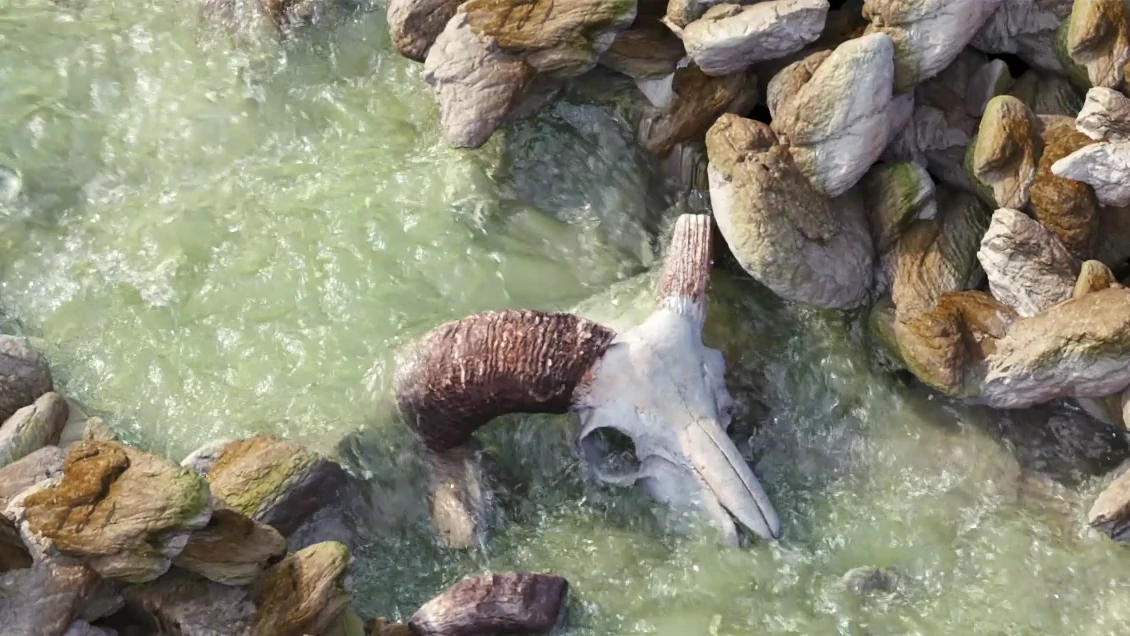
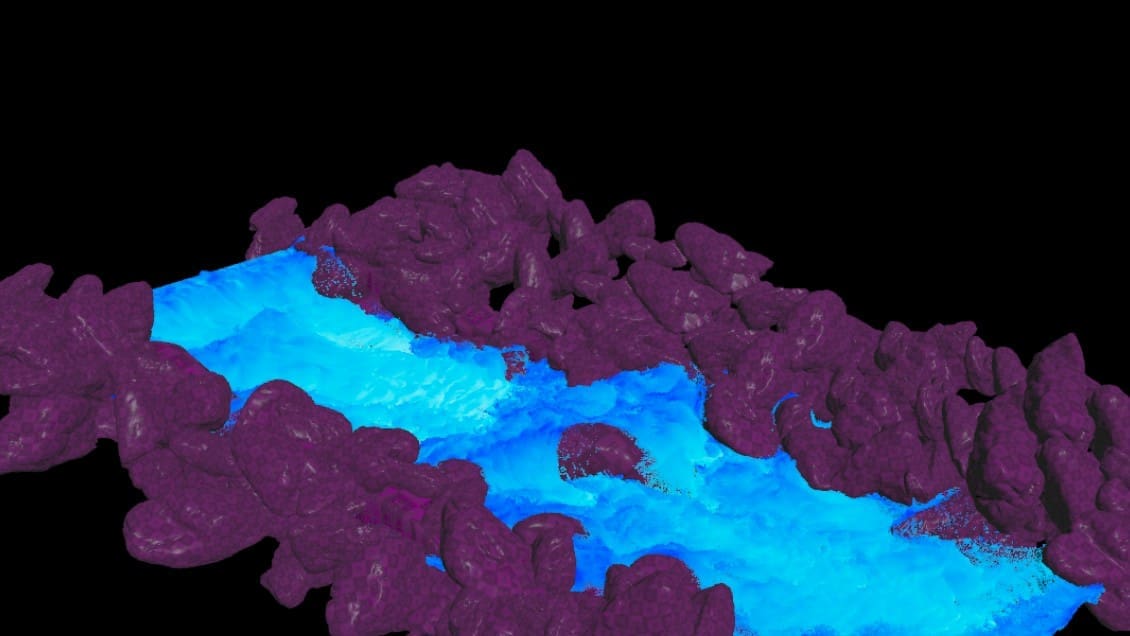
For the river, the water starts as a block of particles in the riverbed. I gave it a velocity in the direction of the flow and added a force, so it starts flowing straight away. The rocks and the skull are a collision object: the water cannot pass through them and flows around and over them. Each particle is one and a half centimetres across.

The river flowing past the skull, FLIP simulation in Houdini rendered in Karma
First FLIP exercise in Houdini: blue fluid particles pouring from a source into a transparent tank
My first FLIP exercise: water pouring into a tank
FLIP simulation in Houdini: a block of water pours over grey rocks and flows down the riverbed as a river
Where the river starts: a block of water pours over the rocks
The particles of a FLIP river in Houdini in blue, with the rocks and the skull as a purple collision object
The river particles in Houdini, with the collision object in purple: the rocks and the skull
The water surface of the river in Houdini, built from the FLIP particles
From particles to a water surface

From all those particles I then built a closed surface, a mesh. I smoothed that surface a little, so it reads as real water. I rendered the river in Karma, the renderer in Houdini, with an HDRI as the light.

The network in Houdini that turns the FLIP particles of the river into a water surface
The network in Houdini: the cached particles become a water surface

Crag in the ice water

Crag is the test character that comes with Houdini, a rock monster with a sledgehammer. In this assignment he walks through a pool of ice water and strikes the water with his hammer. The pool is a flat tank: a tank of water with waves along the edges. The particles are even smaller here, 6 millimetres, for more detail around his legs and the hammer. Crag, the icebergs and the snowy rocks are collision objects.

Crag in the ice water, FLIP simulation with whitewater in Houdini rendered in Mantra
First FLIP test in Houdini: the rock monster Crag with his hammer walks through a flat tank of blue water
First test: Crag walking through a flat tank of water
FLIP water around Crag between ice walls in Houdini, coloured by speed: red is fast, blue is calm
Speed in colour between the ice walls: the redder, the faster

The foam, the spray and the bubbles are a separate simulation called whitewater. Houdini looks for the places where the water spins, speeds up or curls over, and creates white particles there. I also made a difference in the colour of the water: calm water is ice blue, churning water turns white. I rendered this shot in Mantra.

The whitewater around Crag in Houdini from above: white particles for foam, spray and bubbles
The whitewater on its own: foam, spray and bubbles
Crag in ice-blue water seen from above, with a ring of white foam, FLIP simulation in Houdini rendered in Mantra
From above: the foam around Crag, rendered in Mantra
Crag raises his hammer in ice-blue water full of foam, FLIP simulation in Houdini rendered in Mantra
Crag raises his hammer, rendered in Mantra
Wireframe of Crag raising his hammer in the icy water, with the ice wall behind him, in Houdini
Crag with his hammer raised, as a wireframe in Houdini

More water exercises

During the course I practised more with water. A speedboat pulls a foamy wake through the water, and a letter E glides through it at velocities I set up myself.

A letter E glides through a flat tank of water in a FLIP simulation in Houdini, pushing the water aside
A letter E glides through the water
A speedboat seen from above in a FLIP simulation in Houdini, with a wake of white foam
A speedboat and its wake

Working in steps

Simulations like these are heavy to calculate. That is why I saved everything in steps: first the particles, then the water surface and then the whitewater. That way I could adjust the light and the render without running the simulation again each time.

You can read more about what I make in Houdini under 3D animation and Houdini VFX.

Next project: Set Fire to the Rain →

E-Line Vision
Bringing vision to light.